



Mobile Deposit
Mobile Deposit
Snap, Tap, Deposit. Download our app to get started!


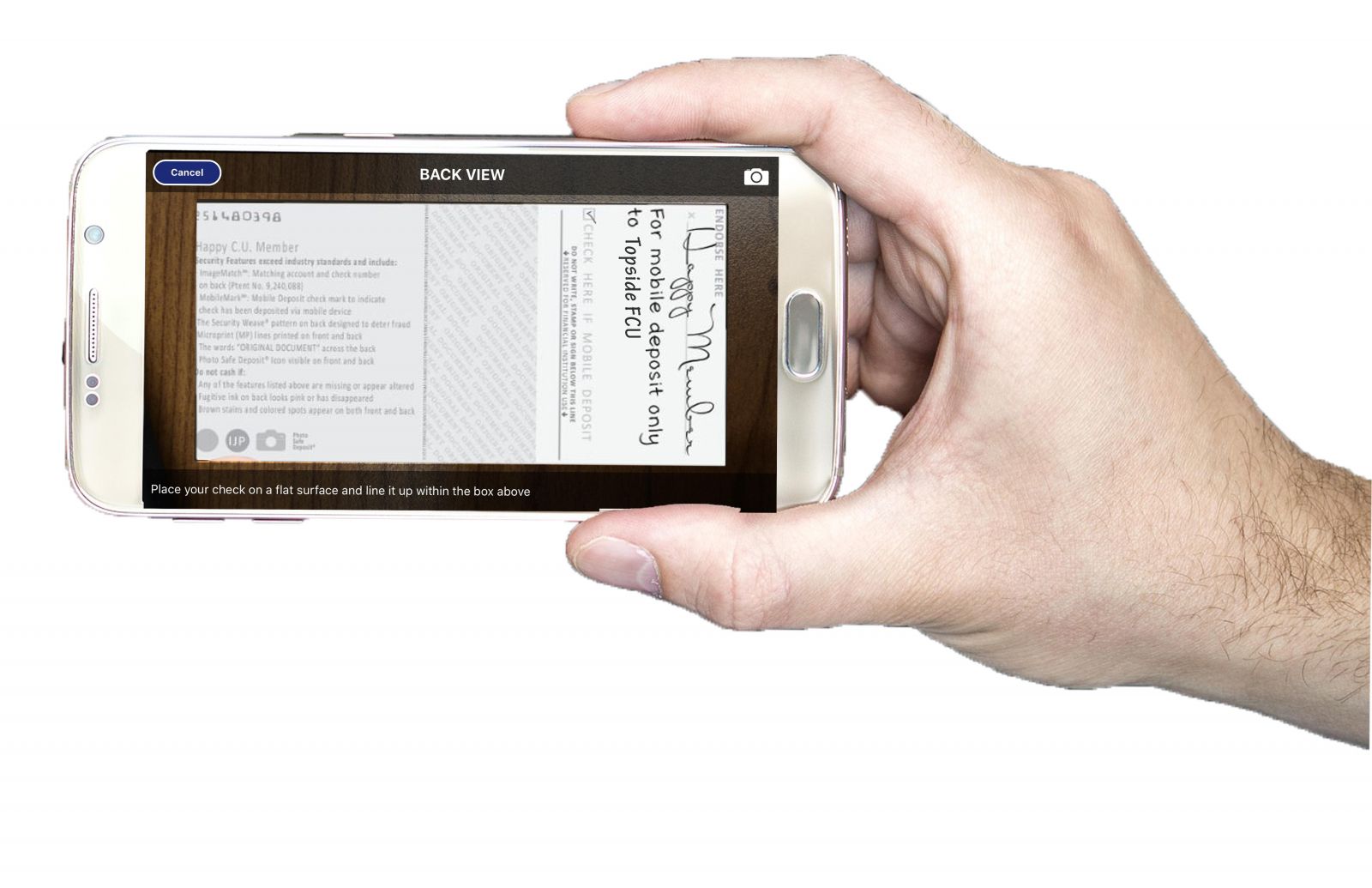
Be sure to endorse the back of your check with your signature and, "For mobile deposit only to Topside FCU."

Deposit your personal or business checks from anywhere.
Mobile Deposit is free for checking account holders. You can view your mobile deposit check images in online banking!
Convenient: Deposit up to $10,000 in checks per business day from anywhere, at any time.
Saves time & money: Skip the branch and ATM.
Real-time confirmation: Get email confirmations for every deposit.
You need a checking account in order to use Mobile Deposit. Once you've been a member in good standing for 90 days AND have been enrolled in online banking for 90 days, you will have the option to enroll in Mobile Deposit under the Mobile Deposit under the 'Transfers' menu. Once you accept the terms & conditions, you'll be able to deposit your checks from any mobile device. Note: Taking your photo against a solid color background will provide the best results.
Frequently asked questions:
-
How do I endorse my check?
Your Signature and "For Mobile Deposit only to TopsideFCU ".
-
When will my funds be deposited?
Funds from mobile deposits will be available by the second business day after the date of your deposit. However, the first $225 of the deposit will be available on the first business day following the day we receive your deposit. Please keep the original check for 60 days.
-
What is the maximum amount I can deposit?
You can deposit up to $10,000 in checks per business day.
-
I'm receiving an error message. What do I do?
If you're receiving a "Cannot Process Deposit - A problem has occurred with the Remote Deposit Capture Adapter" message, there a few reasons this may be happening.
- Your service isn't strong enough to connect at this time. Please try again at another time or location.
- You may need to update your Topside app. Visit the App Store for the latest version.
- Our system is undergoing scheduled maintenance or unexpected downtime. We apologize for the inconvenience, please try again at another time.
-
My mobile deposit was rejected. What do I do?
If you receive a "Rejected" message, please try the following:
1 - Improve your image.
- Clean your camera lens
- Ensure your endorsement is printed clearly - "For mobile deposit only to Topside FCU" - if it needs to be rewritten, you can scribble it out and re-write it in the empty space below
- Check your lighting - Is the room you are in dark? Are there shadows over the check from the angle of the light or phone?
- Ensure you are holding your camera directly over the check and not at an angle
- Hold still - take a deep breath before snapping your photo, shaky hands lead to blurry images
- Take your photo on a solid color background
2 - Contact Us!
- Reach out to us at 540.663.2181. We may be able to see the issue on our end and help resolve the issue.
- Send us a secure message in Online Banking - we will be happy to research the issue and get back to you!
3 - Still not working?
- You can bring your check into any branch to deposit it
- If that isn't convenient, you may mail it to us at PO Box 519, Dahlgren VA 22448
- Please include a note with which account product you want the funds to deposit into
- The name on the check must be yours
- Make sure the check is signed and endorsed on the back
Please be sure to call us before taking step 3! We may be able to help you avoid that step.
If your app is showing the error, " A problem has occurred with the Remote Deposit Capture Adapter" your app may be out of date and you will need to go to the play store for an update. If you have been enrolled in Online Banking for longer than 30 days, and are unable to view the mobile deposit enrollment, please call our Digital Banking Department for an update at 540.663.2181. View our Mobile Deposit Disclosure or Funds Availability Disclosure.
Warning: You Are Leaving This Site.
You are leaving the Topside Federal Credit Union website.
You are being directed to a third-party website.
This link is provided for your convenience. Please note that this third-party website is not controlled by Topside Federal Credit Union or subject to our privacy policy.
Thank you for visiting our site. We hope your visit was informative and enjoyable.
You are about to follow a link to [Link]. To proceed, click 'Continue' below. To remain on this site, click 'Cancel' below.