



My Cards
Card management has never been easier.
Manage your credit and debit cards directly in Online Banking with My Cards!
Whether you prefer our user-friendly app or the convenience of your browser, card management has never been this easy.
Download our app today for extra convenience.

Embrace the freedom of mobile banking with these card management features:
-
Push Notifications
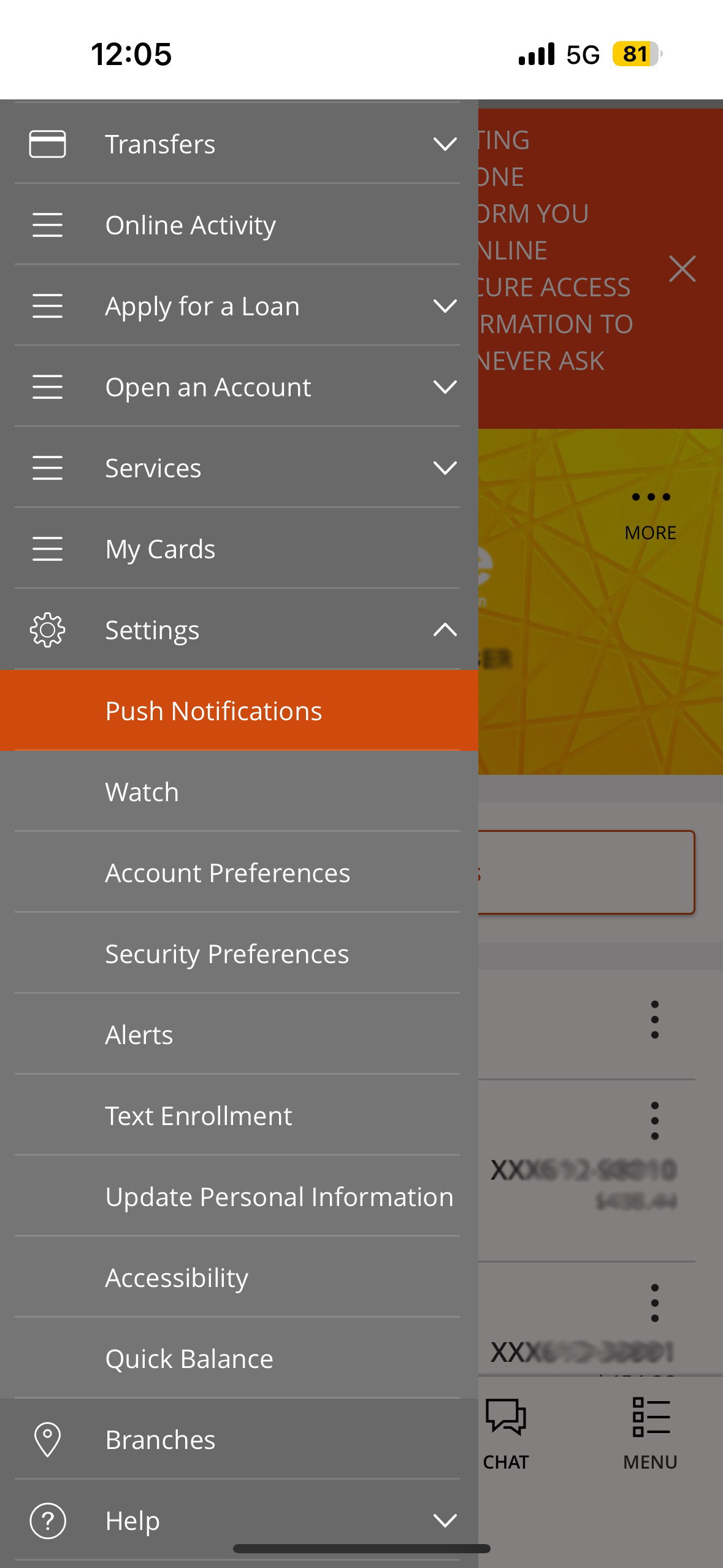
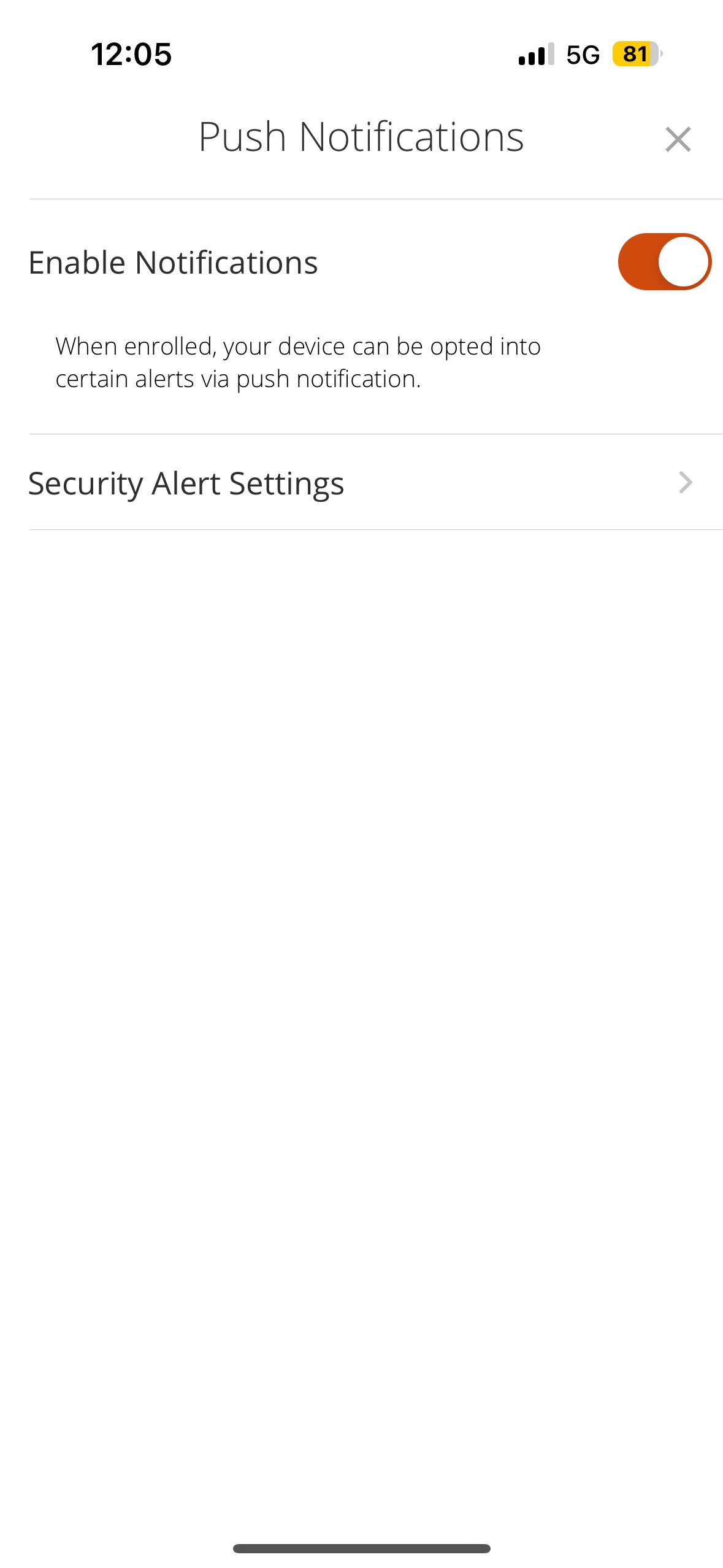
If you'd like to receive push notifications in regard to any card related transactions, you'll first have to enable them on your device. In our app, if you aren't automatically prompted, you'll need to go to our main menu under "Settings," "Push Notifications." Here, all you need to do is enable and allow! You'll be getting notified in no time. Please note, these are only applicable to our app.
Step 1
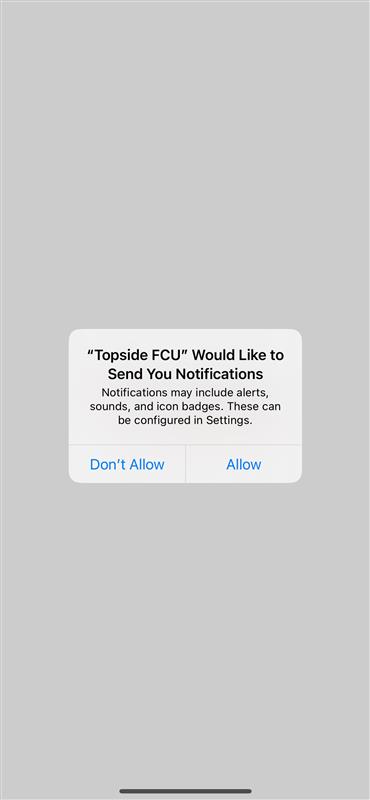
When you first download your app you should be automatically prompted to turn on notifications. All you need to do is click "Allow notifications."
Step 2
If you already have the app and need to enable your push notifications, open the main menu in your app and click "Push Notifications."
Step 3
Toggle the switch to the orange, 'ON' position. If it is gray, it is disabled.
Step 4
Click "Allow" on the pop up that appears. Your device is now good to go! If you want card-specific notifications, you'll set these up under "My Cards"

-
Travel Plans? No Problem.
With My Cards, you can let us know about your travel plans with a few simple taps, so we know it’s you using your cards and not a fraudster.
How to use My Cards to update add or update your travel plans:
Step 1
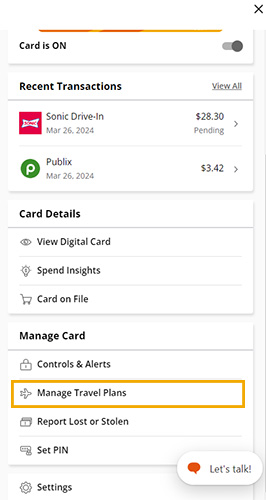
Once you've opened My Cards, scroll down and select Manage Travel Plans.
Step 2
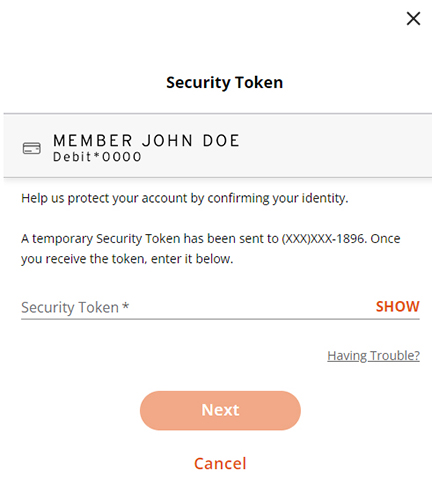
You'll be prompted to enter a security token. This is for your safety and will be delivered to the preferred method you currently get your secure access codes delivered to.
Step 3
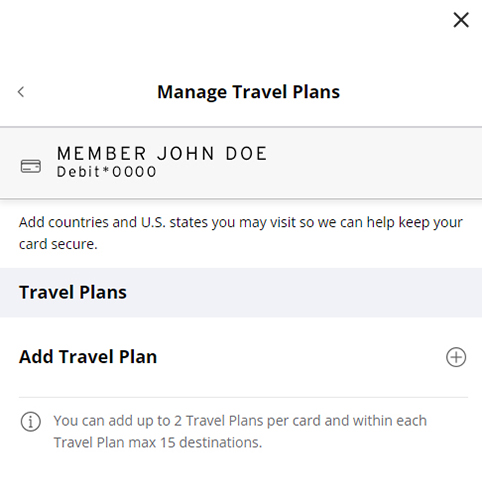
Time to manage your travel plans! Just click the plus sign to add a new plan.
Step 4
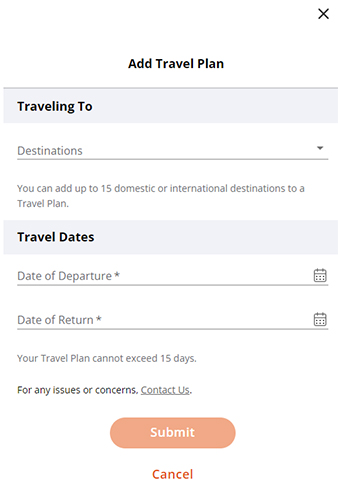
Finally, add your travel details and click "Submit". That was easy, right?
-
View your cards' details anytime, anywhere.
Need your card number and expiration date, but don’t have your wallet? Have no fear, My Cards is here! You can view your card number, security code, and expiration date in your app.
Step 1
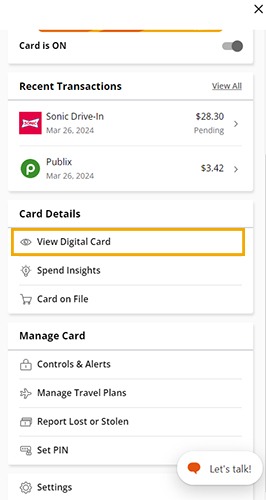
First and foremost, you'll need to click on "View Digital Card" under the card details section of My Cards.
Step 2
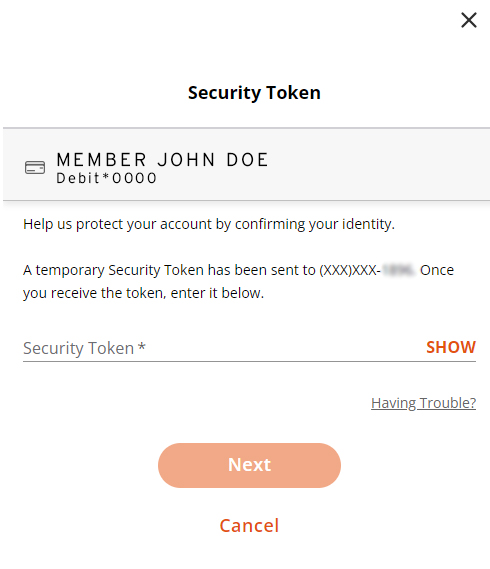
In order to view your card details, you'll need to enter a security token to make sure it's really you. This will be sent to your preferred method that you already receive your secure access code on.
Step 3
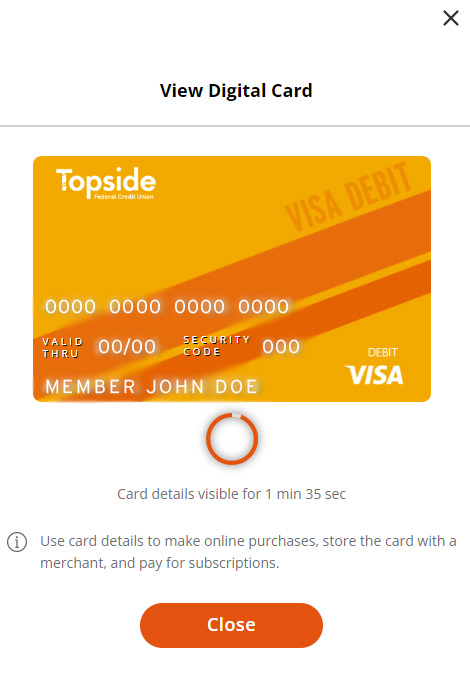
Now you can view your card details! They will only be visible for a limited time for security reasons.
-
Control your card from your phone or a browser.
Easily turn your card on or off, set up transaction alerts, spending limits, location restrictions, and more. Convenient, right?
Turn your card(s) on or off
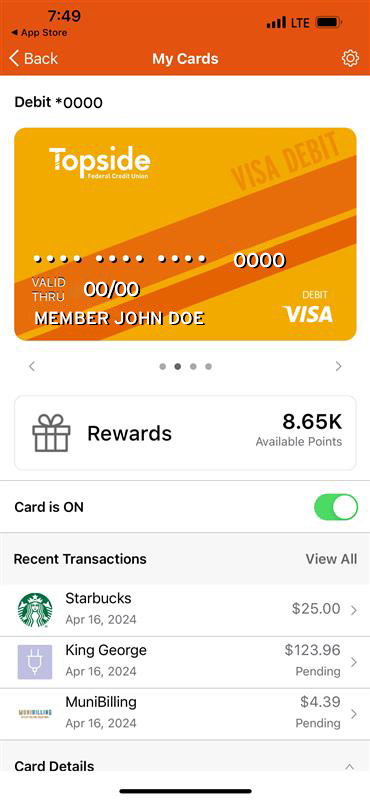
Simply toggle the switch underneath of your cards' image. Green means it's on, gray means it's off.
Card controls
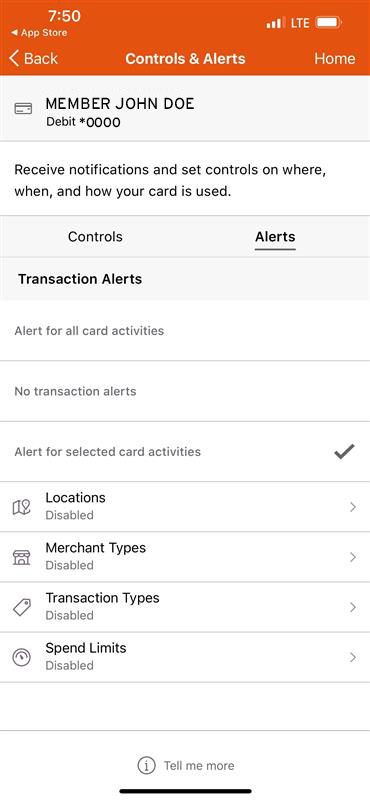
Under "Manage Card", you can click "Controls & Alerts" to view your control options.
Alerts & notifications
Choose what kind of card alerts you'd like to receive.
Push Notifications
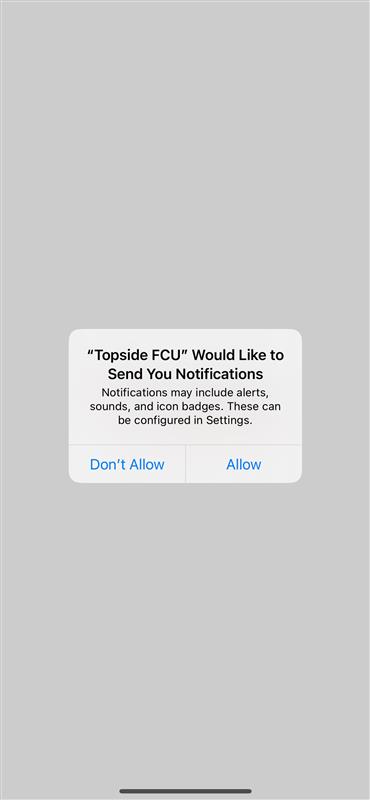
If you want alerts, be sure to click "Allow" when you get the notification pop-up.

-
View & redeem rewards points.
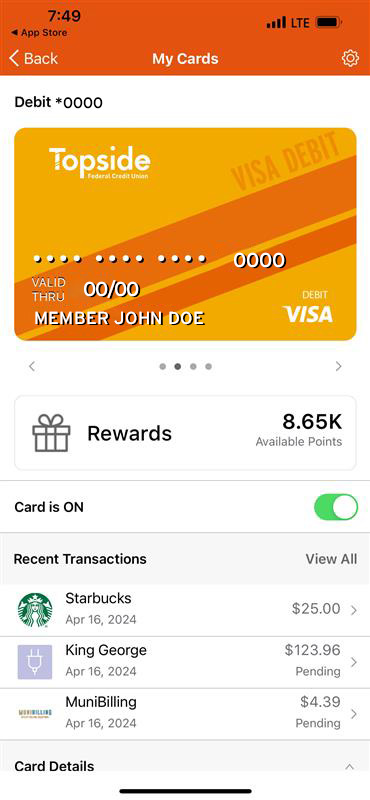
If you have a debit card with us, you’re earning points when you use it. Easily manage and redeem your points for rewards, cash back, concert tickets, and more right from My Cards.
Step 1
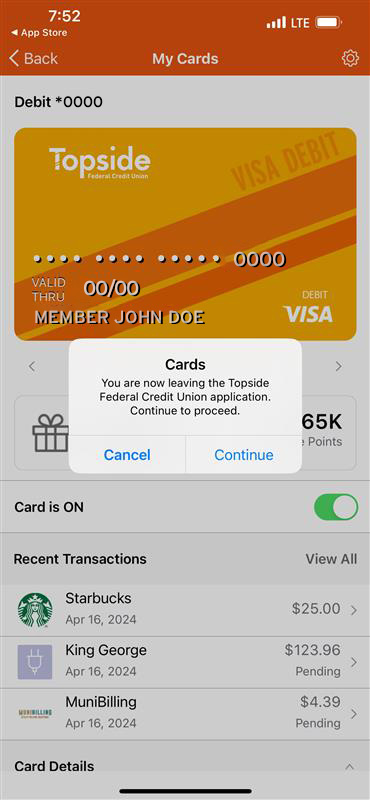
Click on "Rewards" underneath your card's image.
Step 2
Click "Continue" to go to the uChoose Rewards page.
Step 3
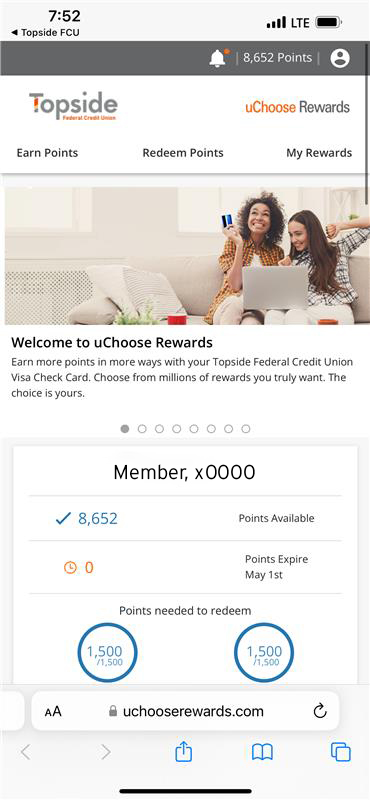
Welcome to uChoose Rewards! You can activate rewards and redeem your points here.
A few important things to note:
- If you redeem your points for cash back, it may take about 10 business days to deposit into your account.
- As you earn points, they will not add up instantly. There is a slight delay in time between your purchases and when your points actually appear in your uChoose Rewards account.
- If you have a Debit card AND a Rewards credit card, you can combine your points!
- Previously, your rewards points were visible on your credit card statements. They will not be visible here anymore. Instead, you can view your points right inside of online banking or by visiting www.uChooseRewards.com.
- Need help? Give us a call and tell our friendly member service bot, Topper, you need to discuss "uChoose Rewards" and he will transfer you accordingly.
Warning: You Are Leaving This Site.
You are leaving the Topside Federal Credit Union website.
You are being directed to a third-party website.
This link is provided for your convenience. Please note that this third-party website is not controlled by Topside Federal Credit Union or subject to our privacy policy.
Thank you for visiting our site. We hope your visit was informative and enjoyable.
You are about to follow a link to [Link]. To proceed, click 'Continue' below. To remain on this site, click 'Cancel' below.